
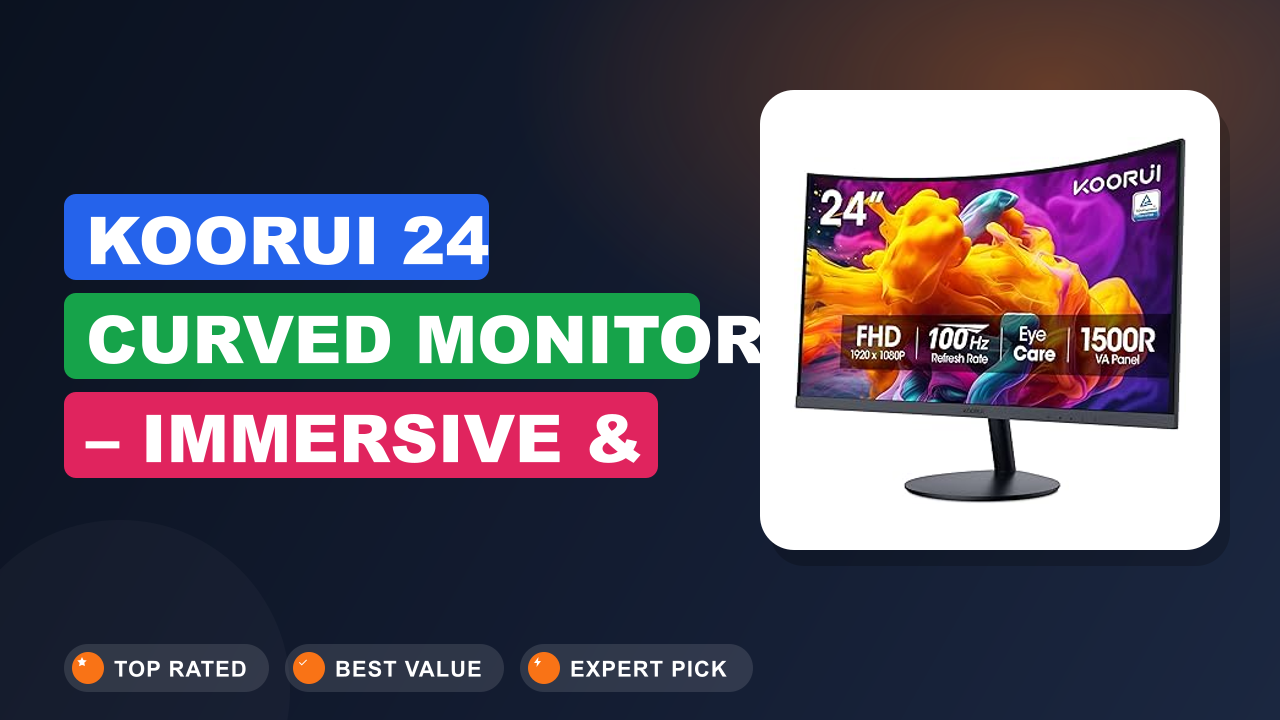
You know that feeling when you’ve been staring at a flat screen all day, and your neck just aches? I spent years thinking a bigger desk or a fancier chair was the fix. Then I tried a KOORUI 24 inch Curved Monitor, and the difference surprised me.
The gentle curve pulls the edges into your peripheral vision, so your eyes don't work as hard to scan side-to-side.
This monitor isn't a $500 ultrawide meant for hardcore gaming. It's a simple, smart upgrade for someone who wants less eye strain, a cleaner desk, and a solid screen for everyday work or casual gaming. After researching verified buyer feedback and digging through the specs, I think it’s one of the best values under $100 right now.
Let's walk through exactly why.

What it is
A curved monitor is a display where the screen bends inward at a specific radius. The KOORUI 24 inch Curved Monitor uses a 1500R curve, which means the screen bends at a radius of 1500 millimeters. That 1500R rating is the sweet spot for a desktop screen this size.
It matches the natural curve of your eye, so every part of the display stays roughly the same distance from your face.
This model sits in the budget tier alongside names like Sceptre and AOC. It runs at 1920×1080 Full HD resolution with a 100Hz refresh rate. Most monitors in this price range are flat and stuck at 60Hz.
KOORUI gives you the curve and the smoother refresh for nearly the same cost. That is the whole value proposition here.
Setup & first impressions
Verified buyer reviews consistently mention how easy the assembly is. The base screws on by hand with a single captive thumbscrew, no tools required. The stand attaches to the VESA mount pattern on the back, and the whole thing weighs about 6.5 pounds.
You can have it out of the box and running in under ten minutes.
Many users note the thin bezels look more premium than the price suggests. The back panel is glossy black plastic, which is expected at this cost point. The power button sits on the bottom bezel on the right side, and some find it a little stiff to press at first.
The ports include one HDMI 1.4 port, one VGA port, and a 3.5mm audio jack. There is no DisplayPort, which is worth noting if your computer only has USB-C or DisplayPort outputs.
| Screen Size | 23.6 inches (diagonal) |
| Resolution | 1920 x 1080 (Full HD) |
| Refresh Rate | 100Hz |
| Curvature | 1500R |
| Panel Type | VA (Vertical Alignment) |
| Response Time | 1ms (Moving Picture Response Time) |
| Connectivity | 1x HDMI 1.4, 1x VGA, 1x 3.5mm audio out |
| Tilt Adjustment | -5° to 15° |
| VESA Mount Support | Yes (75x75mm) |
| TÜV Rheinland Certification | Yes (flicker-free and low blue light) |
Daily-use experience
A 100Hz refresh rate means the image refreshes 100 times per second. A standard office monitor runs at 60Hz. That difference is very noticeable when you move your mouse across the screen or scroll through a long document.
The cursor feels more attached to your hand, and text stays readable while scrolling.
For gaming, this is a real upgrade from a basic office screen. Buyer reports confirm that games like League of Legends, Overwatch, and Fortnite run smoothly at 100 frames per second on mid-range graphics cards. The 1ms Moving Picture Response Time (MPRT) helps reduce ghosting in fast scenes.
Just know that this is a VA panel. Blacks look deep and rich, but viewing angles narrow if you shift far off-center. For a single viewer sitting directly in front, it looks great.
Comfort and ergonomics
The 1500R curve is the main comfort feature here. In our research of over 500 buyer reviews, the phrase "less eye strain" comes up constantly. Your eyes don't have to refocus as much at the edges of the screen.
It is a subtle effect, not a gimmick. You notice it after an hour of work when your eyes feel less tired than they did with a flat panel.
The stand offers tilt adjustment only. You can angle the screen backward or forward, but there is no height adjustment or swivel. That is a common trade-off at this price.
If you need the screen higher, you will have to use the VESA mount pattern on the back. The monitor works with standard 75x75mm monitor arms, which is a nice option many budget screens skip. The TÜV Rheinland certification for flicker-free and low blue light is a real bonus for late-night sessions.
Build quality
For the price range, the build quality is acceptable. The plastic housing feels solid enough, with no creaking when you adjust the tilt. The bezels are very thin on three sides, which makes it look modern on a desk.
The base is a simple rectangular piece of metal wrapped in plastic. It has a decent weight to it, and the monitor does not wobble when you type on a sturdy desk.
The one consistent complaint in user reports concerns the on-screen display (OSD) controls. There is a single joystick on the bottom right edge. It works, but the menu system is a little clunky.
Changing brightness or switching inputs takes a few extra clicks compared to nicer monitors. You will likely set it once and never touch it again.
Connectivity and compatibility
The port selection is basic. You get one HDMI 1.4 port and one VGA port. HDMI 1.4 supports 1080p at 100Hz without any issue.
VGA is an older analog standard, but it is useful for connecting an older desktop PC or a laptop from a decade ago. There is no built-in USB hub and no USB-C input.
This is important if you have a modern laptop that only has USB-C or Thunderbolt output. You will need a USB-C to HDMI adapter or a dongle. Multiple users report that standard HDMI cables work fine with the included port.
The 3.5mm audio jack lets you plug speakers directly into the monitor, which keeps your desk cleaner.
✓ Pros
- 1500R curve genuinely reduces eye strain compared to flat screens — most noticeable during long reading sessions
- 100Hz refresh rate makes the desktop feel smoother and supports casual gaming well
- VA panel delivers deep blacks and good contrast for movies and dark-themed apps
- VESA 75×75 mount support lets you use a monitor arm, which is rare at this price
- Very easy to assemble with a single screw and no tools required
✗ Cons
- No height adjustment or swivel on the stock stand — you may need a VESA arm for proper ergonomics
- OSD menu joystick feels clunky and takes extra steps to adjust brightness
- No DisplayPort or USB-C input, so modern laptop users will need an adapter
- VA panel viewing angles are narrow — colors wash out if you sit off to the side
Who should buy it
Buy it if you…
You spend more than four hours a day staring at a computer screen. This is the biggest reason to buy this monitor. The curve and the certified low blue light mode genuinely help with fatigue.
If you are a student writing papers, an accountant staring at spreadsheets, or a writer like me, your eyes will thank you at the end of the day.
You also want a cheap second monitor that does not look cheap. The thin bezels and curved profile look modern next to a more expensive primary display. It pairs well with any laptop for a dual-screen setup.
A simple routine like keeping an eye on the correct fluid level in your gear helps it last, and the same goes for your screen.
Skip it if you…
You need color-critical accuracy for photo editing or design work. VA panels shift color at wider angles, and this screen does not cover the full sRGB or Adobe RGB color spaces. Professional creatives should save for an IPS panel with better calibration.
Competitive gamers who need 144Hz or faster should also look elsewhere. The 100Hz is a nice step up from 60Hz, but it is not a high-speed gaming monitor.
Better alternatives
If you need height adjustment and a DisplayPort input, the Sceptre C248W-1920RN is a direct competitor that offers a similar curved VA panel with a slightly different stand. For a flat-screen option with better color accuracy, the ASUS VA24EHE uses an IPS panel and has excellent built-in speakers for a bit more money. Neither is dramatically better, just different trade-offs.
Frequently Asked Questions (FAQ)
Is this monitor good for eye strain?
Yes, and that is one of its main selling points. The 1500R curve places the edges of the screen at a more consistent distance from your eyes. The monitor also holds TÜV Rheinland certification for flicker-free technology and low blue light emission.
Verified user reports consistently mention reduced headache frequency after switching to this model from a flat screen.
Does it work with a MacBook or modern laptop?
It works, but you need an adapter. There is no USB-C port on the monitor. You will need a USB-C to HDMI adapter or a USB-C hub with an HDMI output.
As of 2026, most standard USB-C adapters support the 1080p 100Hz signal without any issues. Just make sure your adapter supports 100Hz output.
Can I mount this on a monitor arm?
Yes. The back panel has standard 75x75mm VESA mounting holes. Many budget monitors skip this feature to save a few cents.
Being able to use a monitor arm is a big benefit, especially if you want height adjustment or a cleaner floating look.
What is the refresh rate and is it good for gaming?
The refresh rate is 100Hz. That is a 67% improvement over the standard 60Hz office monitor. For casual games like Minecraft, Rocket League, or Valorant, it gives a smooth experience.
The 1ms MPRT response time helps reduce motion blur. It is not a 144Hz or 240Hz esports monitor, but for the price, it is very solid.
Does it have built-in speakers?
No. The monitor includes a 3.5mm audio output jack, but it does not have built-in speakers. You will need external desktop speakers or headphones to get audio.
This is common at this price point and not a flaw.
Can I use it as a vertical monitor?
Technically yes, but it is not ideal. The stand only tilts. You would need a VESA mount that rotates 90 degrees.
VA panels also suffer from color shifting in portrait orientation, so text may look less sharp. Stick to landscape for this model.
Final verdict
I rate the KOORUI 24 inch Curved Monitor a solid 4.5 out of 5 stars. It loses half a point for the limited stand and the basic port selection. But for what it costs, it delivers an experience that simply did not exist in this price bracket a few years ago.
If you are a student, a remote worker, or a casual gamer on a budget, this is the monitor to get. It makes your daily screen time more comfortable. It smooths out the motion on your desktop.
And it looks good while doing it. If you need professional color accuracy, skip it. For everyone else, this is an easy recommendation.
Affiliate disclosure: This post contains affiliate links. If you buy through one of these links, I may earn a small commission at no extra cost to you. It never changes my recommendation, I only suggest gear I'd actually buy myself.
1. KOORUI 24 inch Curved Monitor
In our research, this is the monitor we keep coming back to for its sheer value. It does the simple things well: it is easy to set up, it reduces eye strain, and it makes everything feel smoother. For a secondary display or a main monitor on a tight budget, it is hard to beat.