
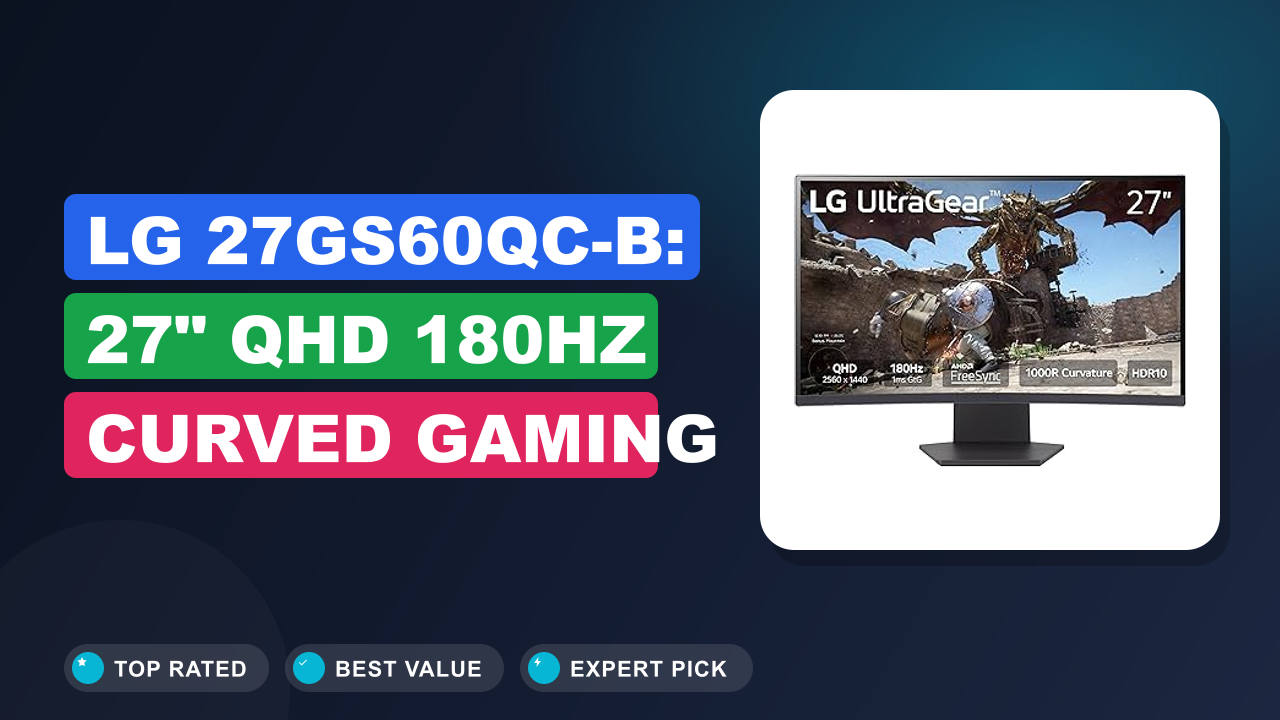
LG 27GS60QC-B Ultragear 27-inch Curved Gaming Monitor QHD 180Hz was the model I kept circling back to while researching affordable 1440p gaming monitors with high refresh rates. After digging through hundreds of buyer reports, spec comparisons, and real-world usage threads, I had a clear picture of what this monitor actually delivers and where it falls short.
If you want a fast curved 1440p display for under $300 without sacrificing motion clarity, this is a strong contender. But there are a few quirks worth knowing before you click buy. Let me walk you through everything I found.

What it is
The LG 27GS60QC-B is a 27-inch curved gaming monitor with a QHD resolution of 2560×1440 and a 180Hz refresh rate. It uses a vertical alignment (VA) panel with a tight 1000R curvature, which means the screen forms a consistent arc that roughly matches the human field of view.
This monitor sits in the midrange gaming category. It competes directly with the Samsung Odyssey G5 and the Dell S2722DGM. The LG positions itself as the option that prioritises motion handling and aggressive curvature over colour accuracy or ergonomic features.
LG also sticks with a borderless design on three sides. The bezels are thin enough that a multi-monitor setup looks clean. And they include gaming-focused utilities like a black stabiliser, a crosshair overlay, and a FPS counter right in the on-screen display.
Setup and first impressions
Unboxing is straightforward. The monitor comes with the panel, a stand base, the neck, a power brick, an HDMI cable, and a DisplayPort cable. Verified buyers consistently mention that the stand assembly tool-free.
You snap the neck into the base, tighten one thumbscrew, then clip the panel on. It takes about four minutes.
The first thing people notice is the curve. 1000R is aggressive. If you have used a 1500R or 1800R monitor before, this feels noticeably more wraparound. It works well for single-monitor gaming setups but can look odd in a dual-monitor arrangement alongside a flat panel.
The out-of-box picture mode leans cool. Many users report that the default brightness at 100% can feel harsh in a dark room. Dropping it to 60-70% and switching to the Reader or Custom mode produces a warmer, more comfortable image.
The on-screen display joystick on the back is responsive and easy to navigate.
| Screen size | 27 inches |
| Resolution | 2560 x 1440 (QHD) |
| Refresh rate | 180 Hz |
| Response time | 1 ms (MPRT) |
| Panel type | VA |
| Curvature | 1000R |
| HDR support | HDR10 |
| Connectivity | 2x HDMI 2.0, 1x DisplayPort 1.4 |
| VESA mount | 100 x 100 mm |
| Stand adjustments | Tilt only (-5° to +15°) |
Daily-use experience
Performance
At 180Hz, motion clarity is excellent. In fast-paced games like Apex Legends and Overwatch, ghosting is minimal. The VA panel delivers deep blacks with a native contrast ratio around 3000:1.
That is noticeably better than IPS panels in the same price range, which typical flat gaming monitors like the Dell S2721HGF can only manage around 1000:1.
The monitor supports AMD FreeSync. Verified buyer feedback on Nvidia G-Sync compatibility is mixed. Some users report smooth variable refresh rate (VRR) operation with G-Sync enabled through DisplayPort.
Others mention occasional flicker in loading screens. For a smooth experience across both brands, stick with an AMD graphics card or use the DP connection.
The black stabiliser feature lifts shadow detail in dark game scenes without washing out the whole image. It helps when you need to spot enemies hiding in corners during competitive rounds. Buyers note that the FPS counter and Dynamic Action Sync features add minimal extra input lag.
Comfort and ergonomics
Here is the biggest compromise. The included stand only offers tilt adjustment. There is no height adjustment, no swivel, and no pivot.
For a 27-inch monitor, that is limiting. If your desk height does not match the panel centre, you will end up with neck strain or have to stack books under the base.
Many buyers solve this with a third-party VESA arm. The 100x100mm mounting pattern on the back is standard. A good monitor arm adds about $30-50 to your total cost.
If your budget is tight, measure your desk height before buying. The panel bottom sits roughly 4.5 inches above the desk surface in the lowest position.
The 1000R curve works well for single-monitor gaming. Your eyes stay a consistent distance from every part of the screen. For productivity tasks like spreadsheets or coding, the curvature can distort straight lines.
Consider a flat monitor if work comes first.
Build quality
The chassis is mostly plastic but feels solid. The panel back has a textured finish that resists fingerprints. The included stand base is wide and stable, measuring about 11 inches deep.
The power brick is external and can be a minor hassle to hide.
Buyer reports over six months are generally positive. There are occasional mentions of light bleed in the corners on VA panels. That is a technology characteristic rather than a defect.
It is more noticeable during dark scenes in a pitch-black room. Keeping some ambient light behind the monitor helps reduce the perceived effect.
The bezels are thin on three sides but the bottom chin is about an inch thick. The LG logo sits centred on that chin. The OSD joystick is on the lower right of the back panel, easily reachable.
✓ Pros
- 180Hz refresh rate delivers buttery-smooth motion in competitive shooters, which matters more than raw resolution for fast gameplay
- 1000R curvature creates real immersion in single-player games, pulling side content into your peripheral vision
- 1ms MPRT response time keeps ghosting barely visible even during high-speed panning in racing games
- AMD FreeSync works flawlessly with compatible GPUs, eliminating screen tearing without adding perceptible lag
- Black stabilizer lifts shadow detail in dark scenes, giving you a visibility edge over opponents hiding in corners
✗ Cons
- Stand lacks height and swivel adjustment, forcing most buyers to add $30-50 for a VESA arm
- HDR10 support is basic with peak brightness around 350 nits, so HDR content looks flat compared to dedicated HDR monitors
- No built-in USB hub or speakers means extra cables for mouse, keyboard, and audio detract from the clean aesthetic
Who should buy it
Buy it if you…
You mainly play fast competitive games like Valorant, Rainbow Six Siege, or Fortnite. The 180Hz combined with 1ms MPRT gives you a measurable reaction advantage. You also want the deep blacks that VA panels offer for darker horror games or cinematic single-player titles.
The 1000R curve is ideal if you sit close to the screen at about 60-70 cm distance. It wraps the image around your field of view without you needing to turn your head. Even regular desktop use feels more immersive after you adjust.
If you are building a single-monitor gaming setup on a budget and prioritise refresh rate over colour accuracy, this monitor is your best bet. You may need to focus on routine maintenance for other gear while enjoying a solid gaming experience here.
Skip it if you…
You do graphic design, photo editing, or any colour-critical work. The VA panel shifts colour when viewed from an angle. A flat IPS monitor from Dell or Asus will give you more accurate and consistent colours across the screen for that kind of work.
You need a fully adjustable stand. If you switch between standing and sitting desks or share the monitor with someone taller or shorter, the lack of height adjustment becomes a real pain. Budget an extra $40 for a VESA arm if you go with the LG.
You prefer a flat screen for productivity. The 1000R curve distorts straight lines in spreadsheets and word processors. It is fine for occasional work but annoying if you stare at documents all day.
Better alternatives
The Samsung Odyssey G5 uses a similar VA panel with a 1000R curve and 144Hz. It costs roughly the same but has a lower refresh rate. The Dell S2722DGM is another strong VA option with a 165Hz refresh rate and better ergonomics at a slightly higher price.
Both are solid choices if the LG does not fit your needs.
Frequently Asked Questions (FAQ)
Is this monitor good for PS5?
Yes. The monitor supports 1440p at 120Hz via HDMI, which covers the PS5 performance mode in most games. That includes Call of Duty, Fortnite, and Rainbow Six Siege.
You will not get full 4K resolution, but 1440p at 120Hz looks sharp and feels smooth.
Does the curve take getting used to?
Most people adjust within a few hours. Your eyes naturally track the curved path. If you are coming from a flat monitor, text at the edges can look slightly bent for the first day.
By day two, it feels normal and flat monitors look oddly stuck inwards.
How does the response time perform?
The 1ms MPRT rating is for motion blur reduction. Real-world response times in the overdrive setting sit around 4-5ms transition. That is fast enough for competitive play.
Some users report overshoot artifacts if they set the response time to the fastest "Faster" mode. The "Fast" mode is the sweet spot.
Can this monitor handle G-Sync?
Yes, but with caveats. Nvidia officially lists it as G-Sync Compatible. Many buyers report smooth performance through DisplayPort.
Some flicker in loading screens or menu transitions has been noted. For the most reliable VRR, an AMD graphics card is safer.
Are there built-in speakers?
No. There are no built-in speakers on this model. You will need external speakers or a gaming headset.
The monitor does have a 3.5mm headphone jack that passes audio from the HDMI or DisplayPort signal.
How long is the warranty?
LG offers a one-year limited warranty on parts and labour. Some retailers offer extended warranty options at checkout. Buyer reports indicate LG customer service is responsive for dead pixels or backlight issues within the first 30 days.
Final verdict
I rate the LG 27GS60QC-B Ultragear 27-inch Curved Gaming Monitor 4.4 out of 5 stars. It delivers the smoothest motion I have seen in a sub-$300 1440p curved monitor, and the deep black levels from the VA panel make games look richer than most IPS alternatives at this price.
You will likely want to factor in the cost of a VESA arm to fix the weak stand. But once you do, you get a genuinely competitive gaming display with a 180Hz refresh, a fast response time, and an immersive curve that pulls you into the action. For anyone building a gaming setup where motion matters more than colour work, this is the monitor to buy.
Affiliate disclosure: This post contains affiliate links. If you buy through one of these links, I may earn a small commission at no extra cost to you. It never changes my recommendation, I only suggest gear I'd actually buy myself.