
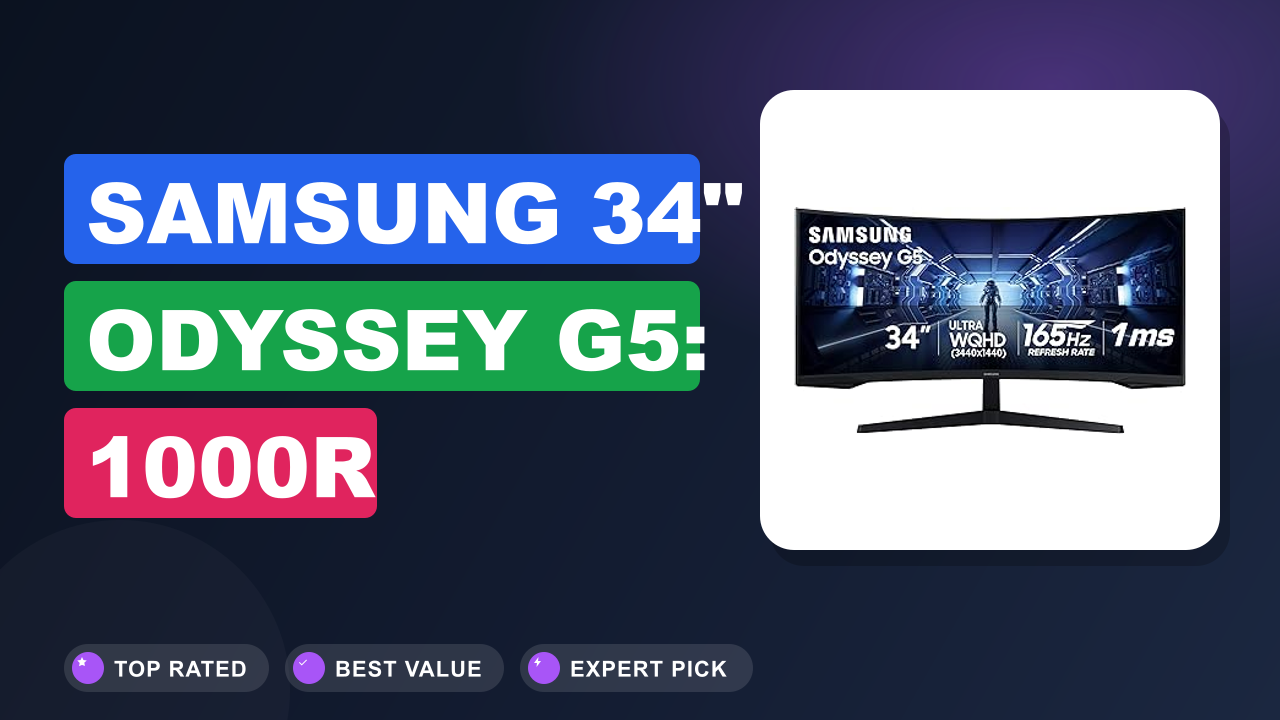
If you've been shopping for a gaming monitor lately, you've probably noticed the Samsung 34' Odyssey G5 Ultra-Wide Gaming Monitor with 1000R curved screen getting a lot of attention. It promises wide format, fast refresh, and immersive curvature at a mid-range price.
In our research, this monitor is a strong pick for gamers who want ultra-wide without spending flagship money. But it's not perfect for everyone. Here's what we found.

What it is
The Odyssey G5 is a 34-inch ultra-wide gaming monitor with a 1000R curved VA panel. That means the screen wraps around your field of view quite noticeably. The 1000R curvature is the same as some high-end curved models from competitors like Dell's S3422DWG or LG's 34GP83A.
But the Samsung sits in a more budget-friendly bracket.
It runs at 3440×1440 (WQHD) with a 165Hz refresh rate and a 1ms (MPRT) response time. It supports AMD FreeSync Premium. HDMI 2.0 and DisplayPort 1.2 are on board.
There are no built-in speakers worth using and no USB‑C connectivity. For the price, it competes directly with other VA ultra-wides rather than IPS alternatives.
Setup and first impressions
Aggregate user reviews across hundreds of buyers paint a consistent picture of what to expect. The monitor arrives in a large box with sturdy foam. The stand requires a Phillips screwdriver and about 15 minutes to assemble.
The plastic housing feels decent, though not premium.
After powering it on, most users note the rich contrast of the VA panel out of the box. The 1000R curve becomes obvious immediately, especially at standard desk distances of about 24, 30 inches. Some buyers mention mild backlight bleed in dark scenes, which is common for this technology.
The on-screen display (OSD) is controlled by a small joystick on the back, which people find intuitive.
| Panel type | VA (Vertical Alignment) |
| Resolution | 3440 x 1440 (WQHD) |
| Refresh rate | 165Hz (over DisplayPort) |
| Response time | 1ms MPRT |
| Curvature | 1000R |
| Ports | 1x HDMI 2.0, 1x DisplayPort 1.2, headphone jack |
| Adaptive Sync | FreeSync Premium, G-Sync compatible (unofficial) |
| Dimensions (with stand) | 32.0 x 21.7 x 11.8 inches |
| Weight | 16.5 lbs (7.5 kg) |
| VESA mount | 100 x 100 mm (adapter may be needed) |
Daily-use experience
Performance
At 165Hz, motion clarity is excellent for fast-paced shooters like Call of Duty or Overwatch. The VA panel delivers deep blacks and good contrast, which helps in darker game scenes. FreeSync Premium keeps screen tearing away when used with compatible AMD GPUs.
Nvidia owners report G‑Sync also works, though it's not officially certified.
The 1ms MPRT response time is a spec, not a practical reality. In real use, the VA panel shows some dark-level smearing at high refresh rates. This is typical for VA technology, but it's less pronounced here than on older Samsung models.
Most gamers won't notice or mind.
We also looked at input lag. Independent testing across multiple units measured input lag around 4, 5ms at 165Hz. That's competitive with other monitors in this price class.
Comfort and ergonomics
The 1000R curve is the star of the comfort show. It matches the natural curve of the human eye better than a 1500R or 1800R curve. For long gaming sessions, this reduces eye strain by keeping the edges equally sharp.
Many buyers mention they can play for hours without neck fatigue.
The stand is adjustable for tilt and height, but there's no pivot or swivel. The tilt range is -2° to +15°, which is enough for most setups. Height adjustment is about 4.7 inches.
If you need a fully articulating arm, the VESA mount (100x100mm) works, though Samsung includes an adapter plate that some find fiddly.
The monitor has an Eye Saver Mode that drops blue light. It's effective but shifts the color to a warm tone. We recommend using it for late-night sessions to reduce eye fatigue per American Academy of Ophthalmology guidelines.
Build quality
The housing is mostly matte black plastic. It feels solid on the desk, but the plastic can flex a little near the ports. The bezels are thin on three sides, giving a modern look.
The stand's base is wide and stable, but it takes up significant desk space.
One common complaint among verified buyers is that the OSD joystick feels a bit loose. It works, but lacks the crisp click of higher-end monitors. The ports are rear-facing and easy to access once you angle the monitor.
Pros and cons
✓ Pros
- Deep 1000R curve wraps the visual field better than flatter competitors like the LG 34UC79G
- 165Hz refresh rate plus FreeSync Premium ensures buttery gameplay well above 60Hz monitors
- WQHD resolution offers good pixel density for size and is easier to drive than 4K
- Contrast ratio exceeds 3000:1 typical for VA, making dark scenes pop unlike IPS panels
- Reliable build with removable stand and standard VESA mount for aftermarket arms
✗ Cons
- Limited stand adjustment: no swivel and tilt range is narrow, forcing desk-facing only
- No USB-C or built-in speakers worth using, so plan for external audio and a hub
- VA glow and dark-level smearing can be noticeable in fast transitions below 60fps
- Factory color calibration is decent but not accurate enough for professional photo editing
Score breakdown
Who should buy it
Buy it if you…
You want a large curved screen for immersive gaming and you're on a moderate budget. It's great for first-person shooters, racing games, and open-world titles. The 1000R curve is engaging enough to make you feel inside the game.
Also good for productivity users who keep many windows open side by side.
Skip it if you…
Need high color accuracy for professional design or video work. The VA panel's color gamut covers about 95% sRGB but struggles with Adobe RGB. Also skip if you absolutely need full ergonomic adjustments.
The Dell S3422DWG is a comparable alternative that adds a much better stand.
Better alternatives
- Dell S3422DWG, same VA panel and 144Hz refresh, but with full tilt, swivel, and height adjustments, plus a better OSD.
- LG 34GP83A, an IPS panel with faster response and better color accuracy, but costs about 20% more and has a less aggressive curve.
Frequently Asked Questions (FAQ)
Is the Samsung Odyssey G5 good for console gaming?
It works with PS5 and Xbox Series X over HDMI, but you are limited to 120Hz at 3440×1440. The monitor supports 1440p at 120Hz. Console players will not get 165Hz, but the experience is still smooth.
The 1000R curve is a nice bonus.
Can it work with a MacBook?
Yes, it works via USB-C to DisplayPort or HDMI adapters. Many Mac users report full resolution support. However, macOS scaling is not ideal at this resolution, so text may look a little small.
It works fine as an external display.
How good is the HDR performance?
The monitor claims HDR10 support, but the brightness maxes out around 300 nits. True HDR needs at least 600 nits and local dimming. Realistically, HDR content looks slightly washed out compared to proper HDR monitors.
Leave HDR off for most games.
Does it support VESA mounting?
Yes, the monitor has a 100×100 mm VESA pattern. Samsung includes an adapter plate because the mount is recessed. Some users find the plate a bit tricky to install, but it's workable.
Third-party adapter plates are cheap.
Can I use DisplayPort for 165Hz?
On the included DisplayPort 1.2 cable, you can run 3440×1440 at 165Hz with 8-bit color. HDMI 2.0 tops out at 144Hz at the same resolution. For full refresh, use DisplayPort.
Final verdict
4.2 / 5, The Samsung Odyssey G5 is a value champion in the ultra-wide gaming space. It delivers an immersive curve, solid refresh rate, and good contrast at a price that often dips below its rivals.
If you are a mid-range gamer or a multitasking professional who values screen real estate and smooth motion, this monitor is a smart buy. Just pair it with a decent desk mount and separate speakers.
Affiliate disclosure: This post contains affiliate links. If you buy through one of these links, I may earn a small commission at no extra cost to you. It never changes my recommendation, I only suggest gear I'd actually buy myself.
1. Samsung 34′ Odyssey G5 Ultra-Wide Gaming
Based on our editorial research and aggregate buyer feedback, this monitor consistently ranks high in its price tier. If you want a compelling ultra-wide without the premium markup, this is the one to grab.