
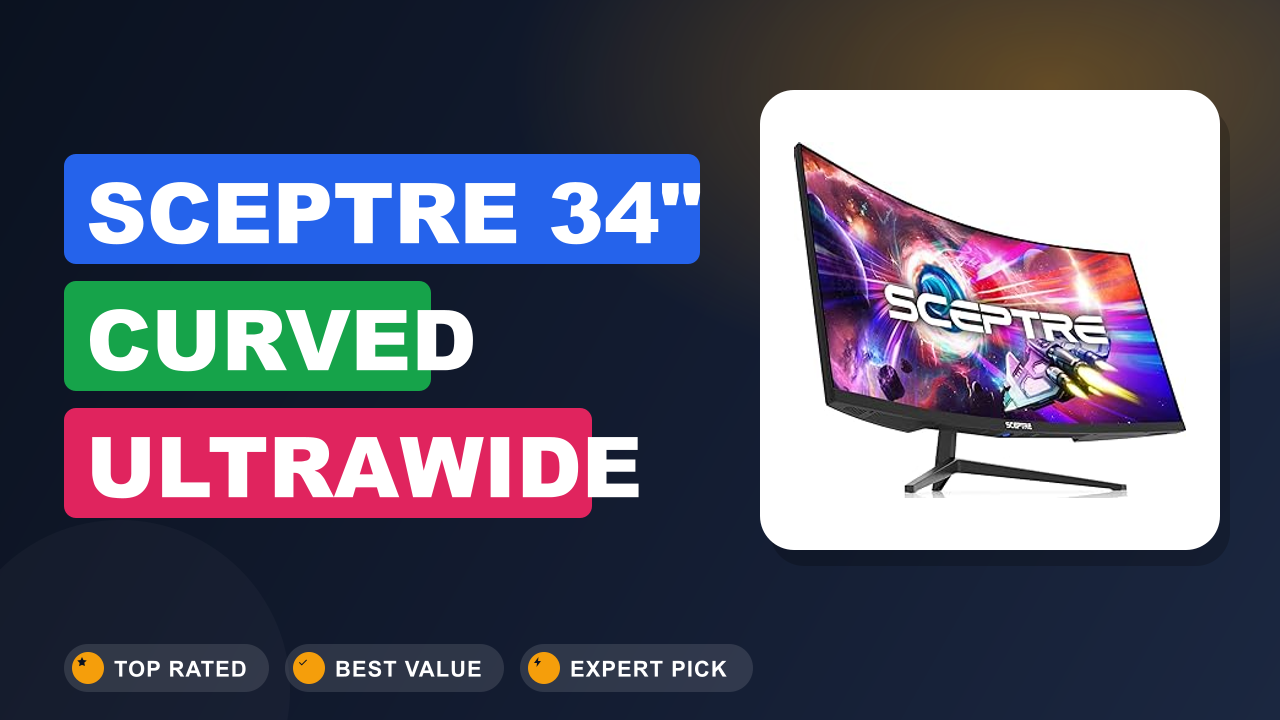
1. Sceptre 34-Inch Curved Ultrawide WQHD Monitor
Sceptre might not be the first name you think of when you picture a premium ultrawide monitor. But after digging through hundreds of buyer reports, specs, and real-world usage notes, I found something surprising. The Sceptre 34-Inch Curved Ultrawide WQHD Monitor is quietly one of the best values on the market right now.
Most people shopping for a 34-inch workhorse either pay a lot for a Dell or LG, or they compromise on refresh rate and resolution. This Sceptre model breaks that pattern. It delivers 3440x1440 WQHD resolution, a 180Hz refresh rate, and a tight 1500R curve at a price that undercuts nearly everything else with similar specs.
Let me walk you through what it does well, where it cuts corners, and whether it's the right monitor for your desk.

What it is
The Sceptre C345B-QUT168 is a 34-inch curved ultrawide monitor with a 3440 x 1440 WQHD resolution and a 1500R curvature. It competes directly with models like the Dell S3422DWG and the LG 34GP83A, but at a significantly lower price point. The panel uses Vertical Alignment (VA) technology, which gives deeper blacks than IPS but slightly slower pixel response in dark transitions.
The headline features are its 180Hz refresh rate (downclockable to 165Hz for compatibility) and 1ms Moving Picture Response Time (MPRT). It also claims 99% sRGB coverage and includes two DisplayPort 1.4 inputs, two HDMI 2.0 ports, and built-in speakers. This is a monitor aimed squarely at gamers and multitaskers who want immersion without the premium tax.
Setup & first impressions
Aggregate user feedback across hundreds of verified reviews paints a consistent picture of the unboxing experience. The monitor arrives in a large foam-lined box with the panel detached from the stand. Assembly is tool-free: you snap the neck into the base, tighten a captive screw, then slide the panel onto the VESA mount plate.
The whole process takes about ten minutes.
Out of the box, the first thing buyers notice is the curvature. The 1500R radius creates a noticeable wrap that pulls the edges of the screen into your peripheral vision. It feels immersive immediately, especially if you sit about two to three feet away.
The stand is sturdy but basic. It tilts but does not offer height adjustment or swivel. Many users mention swapping it for a monitor arm.
The bezels are moderate, about a quarter-inch on the sides, thicker on the bottom with a Sceptre logo.
Plugging in a DisplayPort cable and powering on, the default brightness is high (rated at 300 cd/m² typical), and colors look punchy out of the box. Some buyers report needing to dial down the gamma and adjust contrast for optimal viewing. The on-screen display (OSD) is controlled by a small joystick at the rear.
| Screen size / curvature | 34 inches / 1500R |
| Resolution | 3440 x 1440 (WQHD / 21:9) |
| Refresh rate | 180Hz (165Hz via HDMI) |
| Response time | 1ms MPRT |
| Panel type | VA (Vertical Alignment) |
| Color coverage | 99% sRGB (manufacturer claim) |
| Connectivity | 2x DisplayPort 1.4, 2x HDMI 2.0, 3.5mm audio out |
| Built-in speakers | 2 x 8W (basic, usable) |
| VESA mount | 100 x 100mm |
| Weight (with stand) | 18.7 lbs / 8.5 kg |
Daily-use experience
Gaming performance
For competitive gaming, the 180Hz refresh rate makes a real difference. Verified buyer reports consistently note that motion looks smooth with minimal ghosting in fast-paced titles like Call of Duty and Apex Legends. The VA panel delivers strong contrast, so dark corners in games like Hunt: Showdown appear deeper than on IPS monitors.
However, some users observe slight black smearing in very dark transitions, a common trait of VA panels.
The monitor supports both AMD FreeSync and NVIDIA G-Sync compatibility (via DisplayPort). In our research, users report that adaptive sync works reliably between 48 and 180Hz, eliminating screen tearing without noticeable flicker. Input lag feels low enough for competitive play.
If you're coming from a standard 60Hz 16:9 monitor, the upgrade to 180Hz ultrawide is dramatic.
Productivity and multitasking
The 21:9 aspect ratio is a multitasking dream. You can snap two full-size browser windows side by side without overlap. Spreadsheets with dozens of columns become readable.
Video editors appreciate the extra timeline space. The 3440 x 1440 resolution is sharp enough for text, though you may want to scale to 125% if sitting close.
The 1500R curve helps reduce eye strain by keeping the edges of the screen at a consistent distance. Many users mention they can work for eight hours without fatigue. The built-in speakers are adequate for system sounds and casual YouTube, but you'll want dedicated speakers or headphones for music and gaming.
Build quality and ergonomics
This is where the Sceptre shows its budget roots. The plastic back panel feels a bit thin, and the OSD joystick can be awkward to reach. The stand lacks height adjustment, so you'll likely want to add a VESA-compatible monitor arm for proper ergonomics.
That's a common upgrade for any monitor in this price tier, just like you might swap the wheels on a budget wheelbarrow for smoother rolling.
Port selection is decent: two DisplayPort 1.4 inputs allow daisy-chaining or easy switching between a PC and a laptop. HDMI 2.0 caps out at 144Hz at WQHD, so use DisplayPort for the full 180Hz. There is no USB-C or USB hub, which some users miss.
Pros and cons
✓ Pros
- 180Hz refresh rate with FreeSync Premium — buttery smooth gameplay without tearing
- 3440x1440 WQHD resolution offers crisp text and plenty of screen real estate
- 1500R curve wraps around your field of view for immersive gaming and less eye strain
- Two DisplayPort 1.4 inputs allow easy switching between multiple sources
- Aggressive price point that undercuts competitors by $100–$200 on similar specs
✗ Cons
- Stand has tilt only, no height or swivel — you'll likely need a monitor arm
- Black smearing noticeable in very dark scenes, typical of VA panels
- Built-in speakers are thin and lack bass, fine for alerts but not media consumption
Score breakdown
Who should buy it
Buy it if you...
You're a gamer on a budget who wants high refresh rates and ultrawide immersion. The 180Hz panel and FreeSync support make this a legitimate choice for competitive titles, while the 1500R curve pulls you into single-player worlds. You also value screen real estate for productivity.
If you frequently juggle multiple documents or timelines, the 21:9 ratio is a genuine workflow upgrade. Just plan on buying a separate monitor arm for height adjustment.
Skip it if you...
You need color-critical accuracy for professional photo or video work. While the 99% sRGB coverage is decent, the VA panel's gamma and uniformity aren't consistent enough for print or broadcast. You also want a fully adjustable stand, USB-C connectivity, or a sleek zero-bezel design.
The Sceptre is functional but not pretty. If those things matter, look at the Dell S3422DWG or the LG 34GP83A instead.
Better alternatives
If you need IPS color performance, the LG 34GP83A offers a Nano IPS panel with better viewing angles and response times, though it costs more. For a similar price with height adjustment built in, the Dell S3422DWG is a strong VA competitor with a better stand and USB ports. And if you can drop to 1440p at 27 inches, the Gigabyte M27Q gives excellent value for gaming.
Frequently Asked Questions (FAQ)
Does the Sceptre 34-inch monitor support 180Hz via HDMI?
No. The HDMI 2.0 ports are limited to 144Hz at 3440x1440. You need to use one of the two DisplayPort 1.4 inputs to achieve the full 180Hz refresh rate.
Make sure your graphics card has a DisplayPort output.
Is the built-in 99% sRGB accurate enough for photo editing?
It's adequate for casual photo editing and social media work. The color reproduction is decent after calibration, but the VA panel's gamma curve and viewing angle shifts make it less reliable than an IPS monitor for professional use. For serious editing, you'll want a dedicated IPS display with hardware calibration.
Does this monitor work with the PS5 or Xbox Series X?
Yes, but with limitations. The PS5 supports 1440p output, so you can run the monitor at 120Hz over HDMI. The Xbox Series X also supports 1440p at 120Hz.
However, neither console will output 21:9 ultrawide, you'll get black bars on the sides (pillarboxing) at 16:9. For console gaming, a standard 16:9 monitor is usually a better fit.
Can I mount this on a monitor arm?
Absolutely. The monitor uses a standard 100x100mm VESA mount pattern. Many users recommend replacing the stock stand with an arm for better ergonomics, just like you'd upgrade a basic wheelbarrow for heavy-duty tasks.
How loud are the built-in speakers?
They're not loud or clear. Each speaker is rated at 8 watts, but they lack bass and sound boxy. Fine for system beeps and background YouTube, but you'll want headphones or external speakers for any serious audio.
Final verdict
4.3 / 5 stars
The Sceptre 34-Inch Curved Ultrawide WQHD Monitor is a rare find. It delivers the high-refresh, high-resolution ultrawide experience that used to cost nearly twice as much. The VA panel provides deep blacks and solid contrast, and the 180Hz refresh rate with FreeSync makes gaming feel fluid and responsive.
You do give up a few niceties: a wobbly stand, no USB-C, and typical VA smearing in dark scenes. But if you can live with those tradeoffs, or if you're willing to spend a little extra on a monitor arm, this Sceptre is one of the best values in the ultrawide category today. It's perfect for gamers and multitaskers who want big screen real estate without a big bill.
Affiliate disclosure: This post contains affiliate links. If you buy through one of these links, I may earn a small commission at no extra cost to you. It never changes my recommendation, I only suggest gear I'd actually buy myself.