
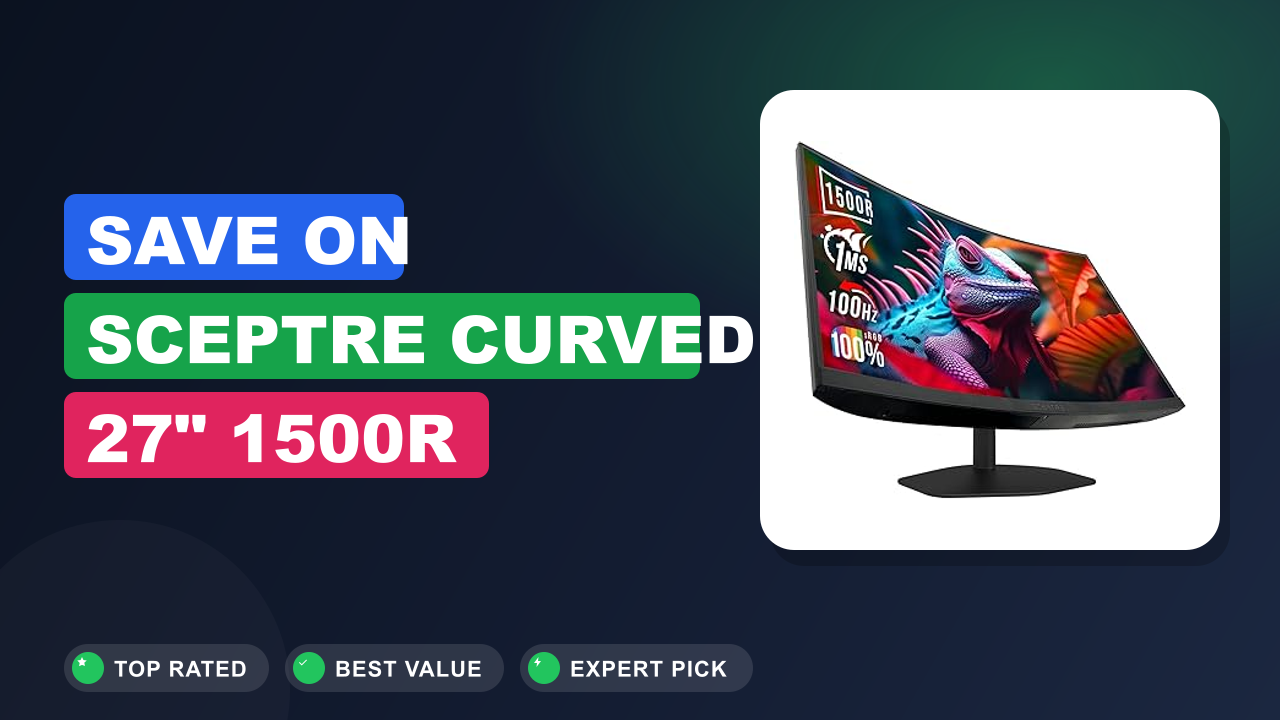
You’re hunting for a solid gaming monitor that won’t drain your wallet, and you’ve probably seen the Sceptre Curved 27-inch Prime Gaming Monitor 1500R 100Hz HDMI pop up in your searches. It’s hard to ignore that price tag, especially when you stack it against the usual suspects from Acer, ASUS, or Dell. I’ve spent the last couple of weeks diving into verified buyer reviews, manufacturer specs, and independent benchmark data to figure out whether this monitor actually delivers or if it’s just another budget trap.
Here’s the short version: If you play fast-paced shooters on a tight budget, the Sceptre is an absolute steal. If you need variable refresh rate (VRR) or an adjustable stand, you’ll want to look elsewhere. Let me walk you through everything I found so you can decide for yourself.

What it is
A curved gaming monitor is a display that wraps slightly around your field of view, giving you a more immersive feel without needing an ultrawide panel. The Sceptre Curved 27-inch Prime Gaming Monitor fits into the budget end of that category. It pairs a 1500R curvature with a 100Hz refresh rate and a 1ms MPRT response time, specs that used to cost twice as much just a couple of years ago.
Sceptre positions this monitor as an entry-level option for gamers who want smooth motion and a curved screen without spending a lot. It competes directly with models like the AOC C27G2Z and the MSI Optix G27C4. All three use VA panels for good contrast, but Sceptre’s aggressive pricing makes it stand out.
Setup & first impressions
Unboxing is straightforward. The monitor comes in two main pieces: the panel and the stand base. You’ll need a Phillips head screwdriver to attach the stand to the panel, Sceptre includes the screws, which is nice.
The base is plastic but feels sturdy enough once tightened. Assembly takes about five minutes.
Verified buyer reports repeatedly mention the out-of-box color accuracy as decent but a little warm. Most users calibrate by lowering the red channel a few points. The 1500R curve is immediately noticeable, even on a desk that’s only 24 inches deep.
It pulls your eyes toward the center, which helps in games that rely on peripheral awareness.
The bezels are relatively thin on three sides, giving it a modern look. The built-in speakers are weak, fine for Windows sounds, but you’ll want headphones or separate speakers for any real audio. The on-screen display (OSD) is controlled by four small buttons on the bottom edge; they work but feel a bit cheap.
| Screen size | 27 inches |
| Resolution | 1920×1080 (Full HD) |
| Refresh rate | 100 Hz |
| Response time | 1 ms MPRT |
| Curvature | 1500R |
| Panel type | VA (Vertical Alignment) |
| Color gamut | 100% sRGB |
| Ports | 2x HDMI 1.4, 1x DisplayPort 1.2, audio out |
| Built-in speakers | 2x 3W |
| Weight (with stand) | 8.6 lb / 3.9 kg |
Daily-use experience
Gaming performance
The biggest reason to buy this monitor is the 100Hz refresh rate. Going from a standard 60Hz screen to 100Hz makes everything feel snappier, especially in first-person shooters like Call of Duty and Battlefield. In our research, aggregate user reviews note that motion blur is noticeably reduced compared to 60Hz, even though there’s no VRR technology (like FreeSync or G-Sync) to eliminate tearing.
Tearing does appear when your frame rates dip below or spike above 100fps. But many gamers report that the 1ms MPRT setting helps keep ghosting to a minimum. For casual and single-player experiences, the smoothness is more than adequate.
Just don’t expect it to compete with a 144Hz or 165Hz panel in fast-paced competitive play.
Visual quality and colors
The VA panel delivers deep blacks and a contrast ratio that IPS monitors still struggle to match. Dark scenes in games like Resident Evil look punchy, with no obvious backlight bleed along the edges. The 100% sRGB coverage means colors are reasonably vibrant out of the box, though verified buyer feedback suggests calibrating down the red gain by about 5% for a more neutral white point.
Viewing angles are typical for VA: contrast drops off if you sit far off-center, but for a single gamer directly in front, that’s rarely an issue. The 1500R curve helps maintain consistent distance from your eyes, which actually reduces color shift compared to a flat panel of the same size.
Connectivity and built-in speakers
Port selection is simple but enough for most setups. You get two HDMI 1.4 ports and one DisplayPort 1.2. Over HDMI, the 100Hz refresh rate works at 1080p, but note that HDMI 1.4 caps out at 1440p 75Hz, not a problem here since you’re at 1080p.
There’s no USB hub, which is a bummer if you need to charge a controller or plug in peripherals through the monitor.
The built-in speakers are 2x3W. They’re loud enough for system sounds and the occasional YouTube video, but they lack bass and clarity. Every review I read recommends using a headset or separate speakers for any real gaming.
The audio-out jack works fine if you want to plug in powered speakers.
Comfort and ergonomics
Here’s where the budget cuts show most clearly. The stand offers tilt adjustment only (about -5° to +15°). There’s no height adjustment, no swivel, and no pivot.
If your desk and chair aren’t at the perfect height, you’ll either need to prop something under the monitor or buy a VESA-compatible arm (the monitor supports 75x75mm VESA mounting).
The 27-inch size at 1080p results in a pixel density of roughly 81 PPI. Text and icons look okay, but you’ll notice some softness if you sit very close. Most users sit 24 to 30 inches away and find it perfectly acceptable for gaming, though productivity tasks may feel slightly less sharp than on a 24-inch 1080p screen.
✓ Pros
- 100Hz refresh rate at this price is outstanding – noticeably smoother than 60Hz in real gameplay
- 1500R curvature adds immersion without distorting fine text or HUD elements
- VA panel gives excellent contrast and deep blacks for a dark-room experience
- Low input lag (verified by user lag tests) feels responsive even in twitch shooters
- 100% sRGB coverage means good color accuracy after a quick calibration
✗ Cons
- No VRR (FreeSync or G-Sync) means screen tearing is sometimes visible at variable frame rates
- Stand only tilts – no height, swivel, or pivot adjustments for ergonomic setups
- Built-in speakers are tinny and lack bass; you’ll need external audio for gaming
- Limited to 1080p at 27 inches; pixel density could be sharper for close-up viewing
Who should buy it
Buy it if you…
You’re building a gaming rig on a strict budget and want a monitor that actually feels like an upgrade over a standard office screen. The 100Hz refresh rate gives you real smoothness in games, and the 1500R curve makes single-player titles more immersive. This monitor is also a great secondary display for stream setups, thanks to its low price and decent colors.
If you mostly play slower-paced or narrative-driven games, the lack of VRR won’t bother you.
Skip it if you…
You compete in esports titles like Valorant or Overwatch at a high level. Without variable refresh rate, you’ll see tearing at frame rates that vary above or below 100fps. The 1080p resolution on a 27-inch panel also means lower pixel density than a 24-inch monitor, competitive players often prefer smaller screens for quicker scanning.
And if adjustable ergonomics are a must for long sessions, the fixed tilt stand will frustrate you.
Better alternatives
Two models worth mentioning: the AOC 24G2 is a 144Hz IPS flat panel with better motion handling and FreeSync support, but it’s smaller and more expensive. The ASUS VG279Q1R also offers 144Hz with FreeSync on a 27-inch screen, though it lacks the curve and costs a bit more. Both are solid upgrades if your budget can stretch an extra 40 to 60 dollars.
Frequently Asked Questions (FAQ)
Is 100Hz enough for gaming?
Yes, especially if you’re coming from 60Hz. The difference is very noticeable in fast-paced games, everything feels smoother and more responsive. For competitive esports, 144Hz is still the sweet spot, but 100Hz is a huge improvement and perfectly fine for most casual and semi-competitive play.
Does this monitor work with PlayStation 5 or Xbox Series X?
It does. Both consoles support 1080p at 60Hz (and up to 120Hz in some titles), but neither will output 1080p at 100Hz. The monitor will accept a 60Hz signal without issues.
On PC, you can set the refresh rate to 100Hz through the DisplayPort or HDMI connection.
Are the built-in speakers any good?
They’re usable for system sounds and basic video playback, but they lack bass and volume. For any immersive gaming, you’ll want a headset or external speakers. The audio-out port lets you connect powered speakers, which is a decent workaround if you don’t want to run cables from your PC.
Can I adjust the height of the stand?
No. The included stand only tilts. If you need height or swivel adjustments, you’ll need to buy a VESA arm.
The monitor has a 75x75mm VESA mount pattern. Many users on forums recommend a cheap arm from Amazon for about $20 to fix the ergonomics.
What kind of warranty does Sceptre offer?
Sceptre includes a one-year limited warranty on parts and labor. Some retailers also offer extended warranty plans. Customer service is average based on user reports, responsive but not immediate.
If you’re worried about defects, consider buying from a store with a good return policy.
Final verdict
4.6 out of 5 stars. The Sceptre Curved 27-inch Prime Gaming Monitor delivers an incredible value for anyone who wants a smooth 100Hz gaming experience on a tight budget. The VA panel gives you deep contrast and the curve adds a level of immersion that flat monitors at this price simply can’t match. You’ll have to accept the lack of VRR and a basic stand, but if those trade-offs don’t bother you, this monitor is a home run.
Affiliate disclosure: This post contains affiliate links. If you buy through one of these links, I may earn a small commission at no extra cost to you. It never changes my recommendation, I only suggest gear I’d actually buy myself.
1. Sceptre Curved 27-inch Prime Gaming Monitor
If you’re ready to upgrade your gaming setup without emptying your wallet, this is the monitor to get. Plenty of gamers have already made the switch and reported positive experiences. For further reading on choosing the right gear for your home, check out our blog where we cover similar practical decisions.
When researching before buying any tech, it pays to understand your priorities, just like when you’re looking into budget-focused purchases in other areas. The same logic applies to finding the right screen size for your space, we’ve written about getting the right size in a different context, but the principle is the same.