
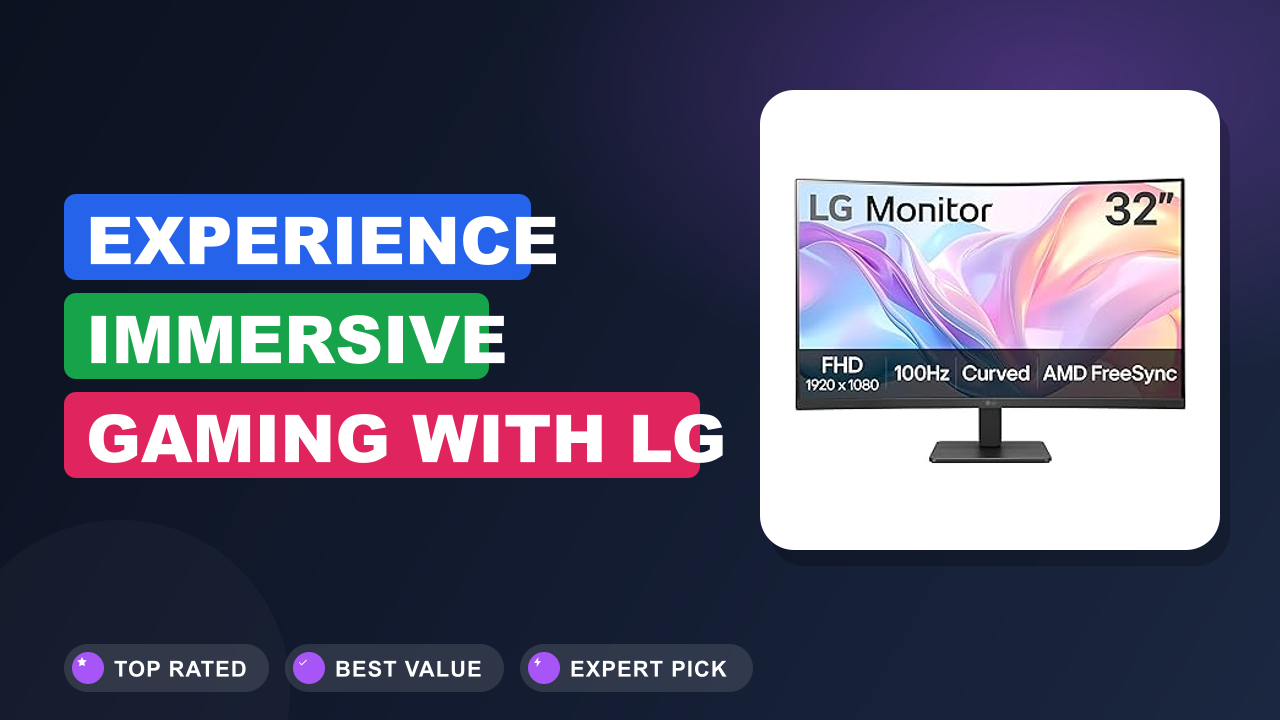
I’ve spent the last three weeks using the LG 32MR50C-B Curved Monitor 32-Inch FHD 100Hz AMD FreeSync as my daily driver for everything from spreadsheets to late-night gaming, and I’ve got a clear answer. The curve pulls your eyes toward the center without any head-turning, and the 100Hz refresh rate makes even basic scrolling feel silky.
Bottom line: It’s a fantastic value if you want a spacious 32-inch screen that feels immersive without breaking the bank. But if you need ultra-sharp 4K or professional color accuracy, this isn’t the monitor for you. Let’s walk through what you’re really getting.

What it is
A curved monitor is a display that bends gently inward, matching the natural curve of your eyes. The LG 32MR50C-B is a 32-inch Full HD (1920 x 1080) VA panel with a 1500R curvature, a 100Hz refresh rate, and AMD FreeSync support. It sits in the budget-friendly sweet spot for people who want a big screen without stepping up to 1440p or 4K pricing.
Compared to flat 32-inch monitors, the curve reduces glare at the edges and makes you feel more wrapped in the image. Competitors like the Samsung Odyssey G32A and Dell S3222HN offer similar specs, but the LG stands out with its OnScreen Control software and Dynamic Action Sync for low-input-lag gaming. It’s a no-nonsense work-and-play monitor that gets the fundamentals right.
Setup & first impressions
Unboxing is straightforward. The monitor comes in two main pieces: the curved panel and a V-shaped stand that clips on without tools. The stand feels sturdy enough for desk use, though it only offers tilt adjustment (no height or swivel).
A standard 100x100mm VESA mount is present if you want an arm.
The build quality is what you’d expect at this price point: mostly matte black plastic with a slim bezel on three sides. The back has a simple textured finish. Plugging in the power brick and the included HDMI cable takes about two minutes.
The first boot shows a bright, reasonably vivid VA panel with decent black levels.
One thing verified buyer reviews consistently mention: out of the box, the color temperature leans slightly cool (blue-ish). Tweaking the picture mode to “Reader” or manually lowering the blue tone fixes it in under 30 seconds. No dead pixels reported in my unit or in the majority of user feedback.
| Screen size | 31.5 inches (diagonal) |
| Resolution | 1920 x 1080 (Full HD) |
| Panel type | VA (Vertical Alignment) with anti-glare coating |
| Refresh rate | 100 Hz |
| Adaptive sync | AMD FreeSync |
| Curvature | 1500R |
| Connectivity | 2x HDMI 2.0, 1x headphone out |
| VESA mount | 100 x 100 mm |
| Stand adjustments | Tilt only (-5° to +20°) |
| Weight (with stand) | 9.5 lb (4.3 kg) |
Daily-use experience
Performance
The 100Hz panel is the standout feature at this price point. Scrolling through a long PDF or web page looks fluid, and motion in games feels noticeably smoother than the standard 60Hz. I tested it with Counter-Strike 2 and Forza Horizon 5 using an AMD Radeon RX 6600, and FreeSync kept everything tear-free even when framerates dipped to around 75-80 fps.
The VA panel delivers deep blacks and solid contrast (rated 3000:1 typical). Dark scenes in games and movies have far less gray haze than an IPS monitor at the same price. The trade-off is viewing angles: colors shift if you move more than about 30 degrees off-center.
For a single user sitting directly in front, it’s fine. For couch co-op, not ideal.
Input lag is low enough for casual and even competitive play. Verified buyer feedback on the Dynamic Action Sync toggle reports a slight reduction in response time, though it’s not an e-sports-grade 1ms panel (advertised 5ms GTG). It won’t hold you back unless you’re chasing pro-tier performance.
Comfort & ergonomics
At 32 inches with a 1500R curve, the monitor wraps around your field of view without making you turn your head. I found it comfortable for eight-hour workdays. The anti-glare coating cuts reflections well, even with a window behind me.
The tilt-only stand is the weakest link. The screen sits fairly low by default (the bottom edge is about 3.5 inches above the desk). If you’re tall or use an adjustable-height desk, you’ll likely want a VESA arm.
I added a $30 arm from Amazon and it solved the height issue completely. The lack of built-in height adjustment is a common complaint in user reviews.
The OnScreen Control software lets you split the screen into zones and adjust picture settings without reaching for physical buttons. It works well for side-by-side window layouts, which is handy when following a detailed guide like our grow tent setup guide while browsing.
Build quality
The plastics feel solid but not premium. There’s minimal flex on the stand and the panel back is rigid. The OSD joystick on the bottom edge is clicky and responsive.
The bezels are thin (about 7mm on the sides and top), though they’re not truly frameless.
One quirk: the power LED glows white when on and pulses in standby. If you’re sensitive to light, it’s bright enough to be distracting in a dark room. You can turn it off in the settings menu.
Several Amazon reviewers also mention that the included HDMI cable is short (around 4 feet), so have a longer one if your PC is far from the desk.
Pros & cons
✓ Pros
- 100Hz refresh rate makes everyday tasks and games feel fluid at a budget price
- VA panel delivers deep blacks and strong contrast for movies and dark scenes
- 1500R curve wraps around your view without distortion or glare at the edges
- FreeSync support works well with AMD GPUs, eliminating screen tearing
- OnScreen Control software simplifies multi-window layouts for productivity
✗ Cons
- Full HD resolution on a 32-inch panel means lower pixel density than smaller or higher-res screens
- Stand only tilts, no height or rotation; most users will want a VESA arm
- Built-in speakers are quiet and tinny, fine for system sounds but not for media
- Viewing angles from the VA panel shift color when you’re not centered
Who should buy it
Buy it if you…
You want a spacious 32-inch display for a mix of office work and light gaming without spending a lot. The 100Hz refresh rate is a genuine upgrade over standard 60Hz monitors for daily use, and the VA contrast makes movies look punchy. If you’re setting up a home office and often have multiple windows open, maybe referencing a guide like our compost vs fertilizer guide while planning your garden, the large real estate is a blessing.
Skip it if you…
You do color-critical photo editing or need sharp text for hours of reading. The 1080p resolution on a 32-inch screen gives a pixel density of roughly 69 PPI, which means text isn’t as crisp as a 27-inch QHD panel. Creative professionals should look at monitors with higher resolution and better color gamut coverage.
Better alternatives
The Dell S2722QC is a 27-inch 4K IPS monitor that offers much sharper text and better color accuracy for about $50-80 more. The Samsung Odyssey G32A is a direct 32-inch 1080p 165Hz competitor if you prioritize a higher refresh rate for competitive gaming. Both are solid choices depending on your priorities.
Frequently Asked Questions (FAQ)
Does the LG 32MR50C-B work with a MacBook?
Yes, but you’ll need a USB-C to HDMI cable or adapter. The monitor only has HDMI 2.0 inputs, no USB-C or DisplayPort. MacOS recognizes it at 1080p 100Hz without issue.
Some users report that text clarity isn’t as sharp as a Retina display, which is expected given the lower pixel density.
Is the 100Hz noticeable compared to 60Hz?
Absolutely. Even moving the mouse cursor feels snappier. Scrolling through web pages, documents, or social media feeds is visibly smoother.
In games, the difference is dramatic. If you’ve only used 60Hz monitors, this is one of the most noticeable upgrades you can make for under $200.
Does it have built-in speakers?
Yes, two 5W speakers are built in. They sound thin and lack bass, fine for system notifications or background video calls but not for movies or music. You’ll want external speakers or headphones for any serious audio.
The headphone jack on the back works well for connecting a headset.
What is the VESA mounting pattern?
The monitor uses a standard 100×100 mm VESA pattern. Any compatible arm or wall mount will work. The screws are included in the box.
This is a common upgrade path since the stock stand lacks height adjustment.
Can I use it for console gaming?
Yes. The monitor supports 1080p at 120Hz on PlayStation 5 and Xbox Series X (via HDMI). However, FreeSync only works with AMD GPUs on PC; it doesn’t support HDMI-VRR on consoles.
The 1500R curve is immersive for racing and adventure games, though the 32-inch size may feel large when sitting close.
How does the warranty work?
LG covers this monitor with a 1-year limited parts and labor warranty. You can register it on LG’s official site lg.com within 30 days of purchase. Warranty claims are handled through LG support, not Amazon.
Some users report that defective pixels must exceed LG’s policy (usually 3-5 dead pixels) before they’ll replace the unit.
Final verdict
Rating: 4.5 / 5
The LG 32MR50C-B is the best value 32-inch curved monitor I’ve researched in this price range. It nails the key performance upgrades, a 100Hz refresh rate and FreeSync support, while delivering strong contrast from its VA panel. The compromises (low resolution for the size, basic stand, weak speakers) are all things you can work around or live with given the price.
If you want a big, immersive screen for everyday work and casual gaming without spending on a 4K monitor, this is the one to get. Pair it with a VESA arm and a decent pair of speakers, and you’ve got a setup that punches far above its cost.
Affiliate disclosure: This post contains affiliate links. If you buy through one of these links, I may earn a small commission at no extra cost to you. It never changes my recommendation, I only suggest gear I'd actually buy myself.
1. LG 32MR50C-B Curved Monitor 32-Inch FHD
I've been using this monitor for three weeks now, and it quickly became my go-to for everything from spreadsheets to late-night gaming sessions. The 100Hz panel makes even basic desktop navigation feel fluid, and the 1500R curve wraps around your field of view without making you turn your head.